

Response Body
Each Persona API response body contains a set of resources, and attributes of each resource.
You can specify the exact resources and attributes to return in each response, using the include and fields request parameters.
Terminology
Each Persona API returns a set of resources, and attributes of each resource.
- A resource means an entity, such as an inquiry, inquiry template, account, verification, etc.
- An attribute is a piece of information about a resource. For example, an inquiry has attributes like
status,reference-id,created-at, etc.
Response schema
Each API response follows the JSON:API specification. Each response body is a single JSON-encoded object with the following keys:
The included and meta fields are added to the response when relevant.
Default behavior
By default, each API returns all attributes of:
- The primary resource: the entity that is fetched or changed
- Some, none, or all of the primary resource’s related resources
For example, the Retrieve Inquiry API returns an inquiry (the primary resource), and can also return entities like the account, verifications, and inquiry template associated with that inquiry (some of the related resources).
If the default response does not include the data you want—or includes too much—you can use the include and fields request parameters to customize the response. See below for details.
Example responses
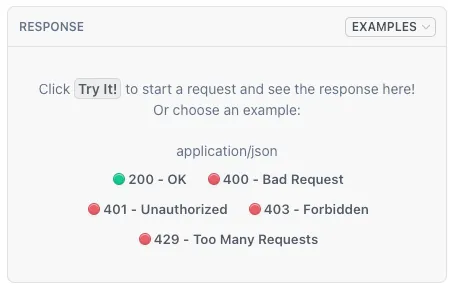
View sample responses for each API on its reference page:
See Understanding a Persona API payload for a detailed walkthrough of example responses.
View all related resources
Each primary resource may have related resources that can be included in the response.
The data.relationships object lists all available related resources. By default, this relationships object is returned in every response.
Each relationship can be one-to-one or one-to-many. A one-to-one relationship contains a single object, and a one-to-many relationship contains an array of objects. Each object contains the type and id of the related resource.
For example, here is the relationships object for a fetched inquiry:
Note that:
- This inquiry does not have an associated
transaction,reviewer, orreports, so these values are null or empty. - The
accountrelationship is an example of a one-to-one relationship. It contains a single object. - The
verificationsrelationship is an example of a one-to-many relationship. The contains an array of objects.
Specify related resources
Use the include query parameter to specify which related resources to return in the included array.
Limitations:
- Only one level of nesting is allowed. I.e.
?include=foo.baris allowed, but not?include=foo.bar.baz - The
includeparameter cannot be used on “list all” endpoints.
Example requests with include
View the sample request in the each tab:
Include verifications only
Exclude all related resources
Include a nested resource
Parameter:
?include=verifications
Request:
Response:
data contains an inquiry, and included contains all its verifications.
No other related resources are returned.
Specify attributes
Use the fields query parameter to specify which attributes should be returned for a given resource type. This lets you retrieve only the data you need.
Notes:
TYPEis the resource type, e.g.inquiry,verification/government-id,account.- Attribute names are any keys found under
data.attributesin the API response.
Example requests with fields
View the sample request in each tab:
Return only inquiry status
Return specific nested fields
Parameter:
?fields[inquiry]=status
Request:
Response:
Using fields and include together
You can combine include and fields in the same request, and use fields to control attributes on both primary and related resources.
For example, the following request returns:
- The inquiry with only its
statusattribute - All related verifications with only their
statusandcreated-atattributes
Parameter:
Request:
Response:
Why limit returned data?
Using include and fields to request only the data you need has multiple benefits:
- Reduced data transfer: By excluding attributes you don’t need, you minimize the amount of data flowing into your system.
- Avoid PII transfer: Some resources, like inquiries, have attributes that contains PII. You can restrict the returned data to avoid fetching PII when you don’t need it.
- Faster responses: When you specify only the fields you need, Persona can retrieve and return data more quickly.