

Payload Filters
Enterprise support
This feature is restricted to customers on the Enterprise plan. Please reach out to your Account Team or contact us if you are interested in enabling and setting up this feature.
Payload filters restrict which records are visible through a given API key. When a payload filter is configured, the serialized JSONAPI response for each record is matched against the filter:
- List endpoints: Non-matching records are filtered out of the response.
- Single-resource endpoints: A
403 Forbiddenstatus is returned if the record does not match the filter.
If the payload filter is empty or not set, the API key behaves normally and all records are returned.
Configuring a payload filter
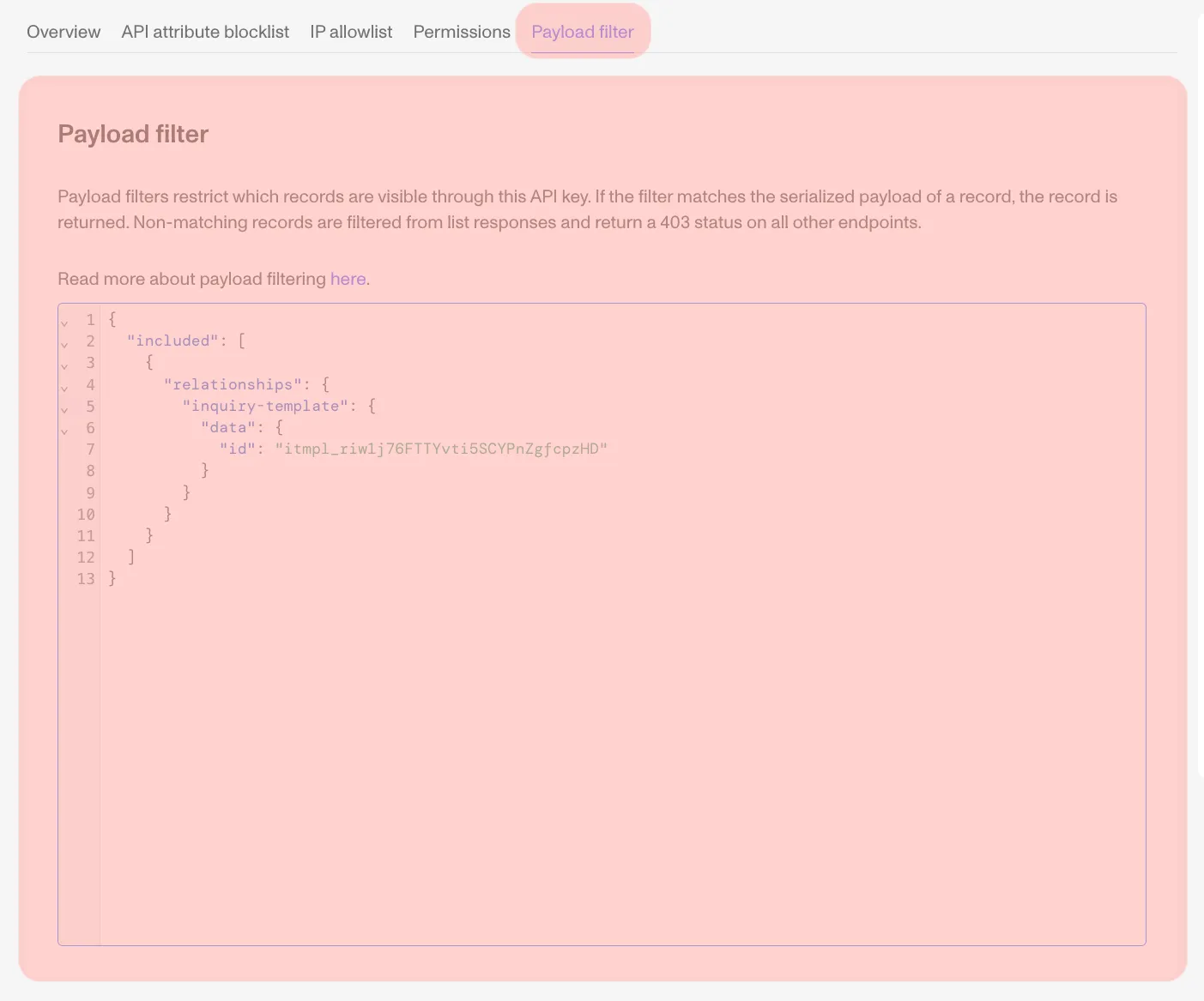
You can configure a payload filter for an API key in the Dashboard. Navigate to API Keys, click into a specific key, and select the Payload filter tab. The filter is a JSON object that you can edit directly.
Examples
The examples below assume a key using kebab-case key inflection.
Filtering by status
To restrict an API key to only return completed Inquiries, you would set the following payload filter:
When listing Inquiries with this filter, only those with "status": "completed" in their serialized payload will appear. Retrieving a single Inquiry that is not completed will return a 403.
Filtering by relationship
To restrict an API key to only return records associated with a specific Inquiry Template:
Designing a payload filter
Start by looking at the API response for the resource you want to filter. For example, retrieving an Inquiry (via Retrieve an Inquiry) might return:
Pick the value you want to filter on and keep only the keys in the path leading to that value. For example, to filter for Inquiries with country code US:
Fields with null values cannot be matched by a payload filter. For example, filtering on "address-country-code": { "value": "US" } will only return records where that field is explicitly "US" — records where the field is null will not match.
Matching against arrays
To match against an array value in the payload, provide an array in the filter containing the elements you want to check for. All elements in the filter array must be present in the payload array for the record to match.
Matching on Inquiries with a tag named “INBOUND”:
Matching on Inquiries with both “INBOUND” and “CAMPAIGN ABC” tags:
$or operator
To allow for multiple criteria, use the $or operator. It can be used on a list of values or JSON object literals.
Value example — match Inquiries with either of two Inquiry Templates:
Object example — match Inquiries that are either approved or completed:
$or on array fields
When using $or to match against a field whose value is an array (like tags), the $or must be placed at the parent level, not directly on the array field. Each option should wrap the array field with the value(s) to match.
This will not work — $or directly on an array field:
Instead, place $or at the parent level with each option wrapping the array:
This also composes with other filters using AND semantics. For example, to match (tag “US 1” OR tag “CAN 1”) AND (one of several templates):
Key rules for $or:
$oron a scalar field (likeid,status) works directly:{ "id": { "$or": ["a", "b"] } }$oron an array field (liketags) must be lifted to the parent object, with each option as{ "field": ["value"] }- Multiple array values in a single option use AND semantics:
{ "tags": ["US 1", "CAN 1"] }means “has both tags” - Sibling keys at the same level are ANDed together
Pagination
Payload filtering is applied after pagination. This means a page may return fewer results than the requested page[size], including empty pages with valid pagination cursors. Clients should continue paginating until no next cursor is returned.