

How Persona Works
Persona handles identity verification so you don’t have to build it yourself. You create a Persona integration to collect data from your end users, Persona verifies each user’s identity, and you retrieve the results to make decisions in your app.
Common use cases include KYC onboarding, age verification, fraud prevention, and trust and safety.
Integration methods
Persona offers several ways to integrate:
See Choosing your integration method for details.
Data flow
At a high level, here’s how data flows between your users, Persona, and your app:
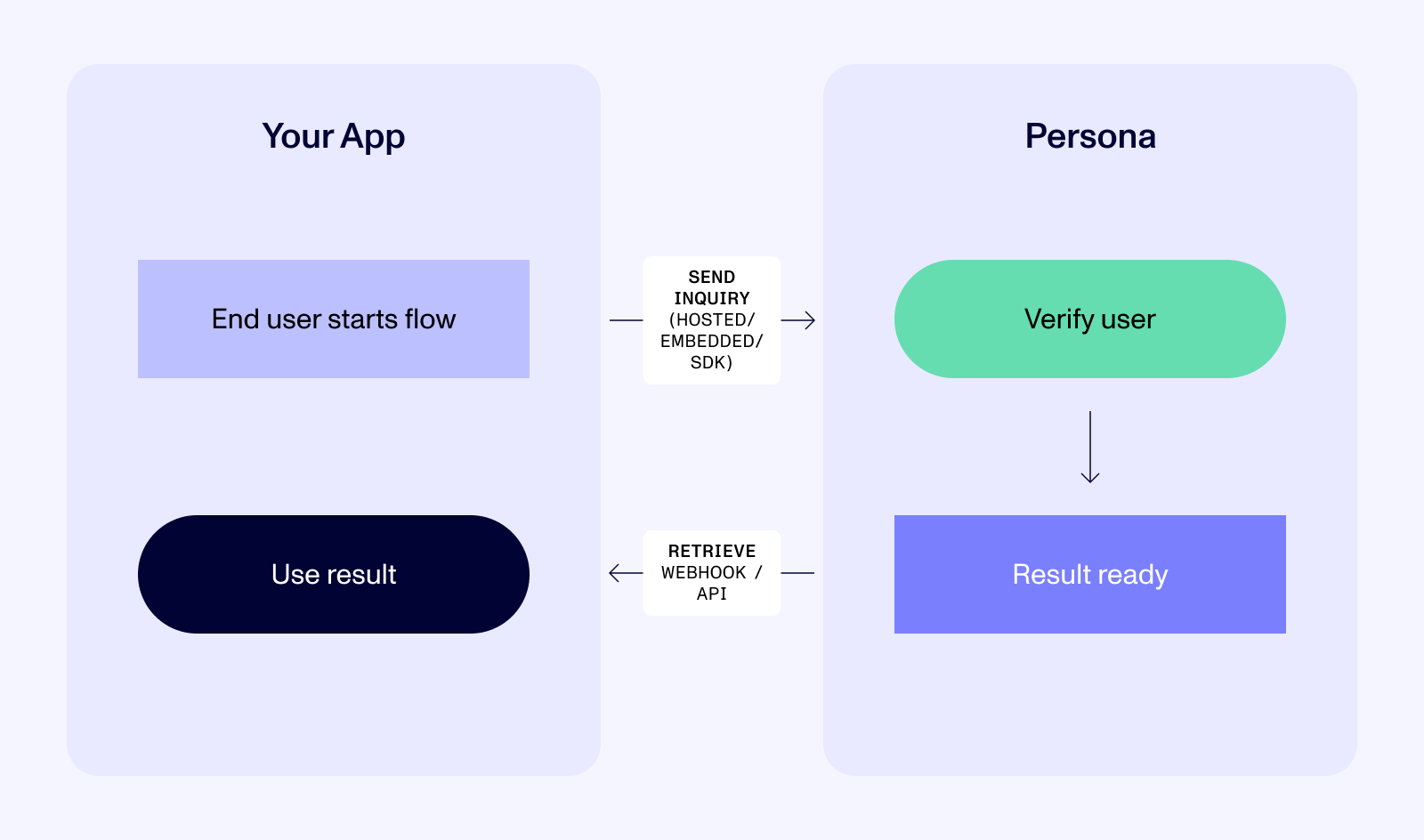
Sending data: Your app initiates a Persona inquiry. The end user interacts with Persona’s UI to submit their information (e.g. a government ID, selfie, documents, etc). Persona runs verifications and determines a result.
Retrieving data: Persona can notify your app via webhook when a verification completes, or you can poll the API. You use this result to make decisions in your app, such as approving versus flagging a user.
Core objects
As you integrate with Persona, you will likely work with these objects:
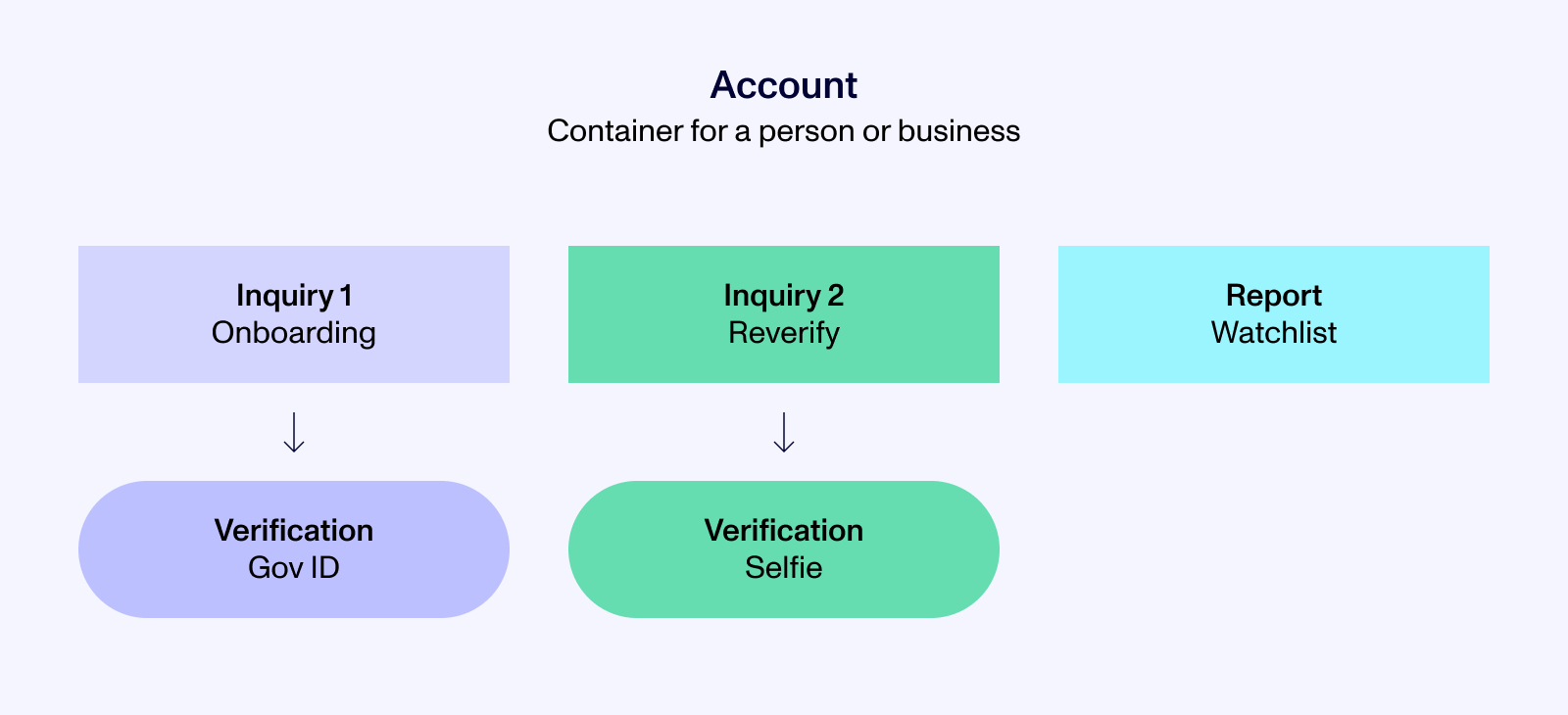
Inquiry
A distinct instance of an identity verification. When a user goes through your verification flow, an inquiry is created. An inquiry collects data, runs one or more verifications, and produces a result (e.g. approved, declined, or needs review).
Verification
A specific check within an inquiry. Persona offers many types of verifications, including government ID, selfie, document upload, and database lookup. A single inquiry can contain multiple verification types.
Account
A container that groups all data for a single person or business. Use reference IDs to link multiple inquiries completed by the same user or business over time to the same account. Learn more about accounts.
Report
Reports provide additional information about an end user beyond what they submit directly in an inquiry. Example report types include watchlist screening, adverse media search, address lookup, phone risk, and more. Reports can be triggered via Persona workflows, or via the API.
Case
A container for manual review. When something needs human attention, such as an inconclusive verification, a watchlist match, or a suspicious pattern, a Case groups the relevant information for your team to investigate. Learn more about cases.
Workflow
Automation that responds to events. When an inquiry completes, a workflow can automatically run reports, create cases, update accounts, notify your team, or call your internal systems. You build workflows visually in the Persona Dashboard, with or without custom code.
Persona API
Of the many ways to integrate Persona, the methods that work best at scale involve using the Persona API to pre-create inquiries.
Here are a few examples of common actions you can take with the Persona API:
- Create inquiries, accounts, and reports
- Read inquiry status, verification details, and report results
- Update account fields, approve or decline inquiries, add tags
- Trigger workflows and resume expired inquiries
See the API Introduction for details.
Next steps
- See Choosing your integration method to pick the right production integration method for your app.
- Looking for more high level information about Persona? See our Help Center.