
Getting Started
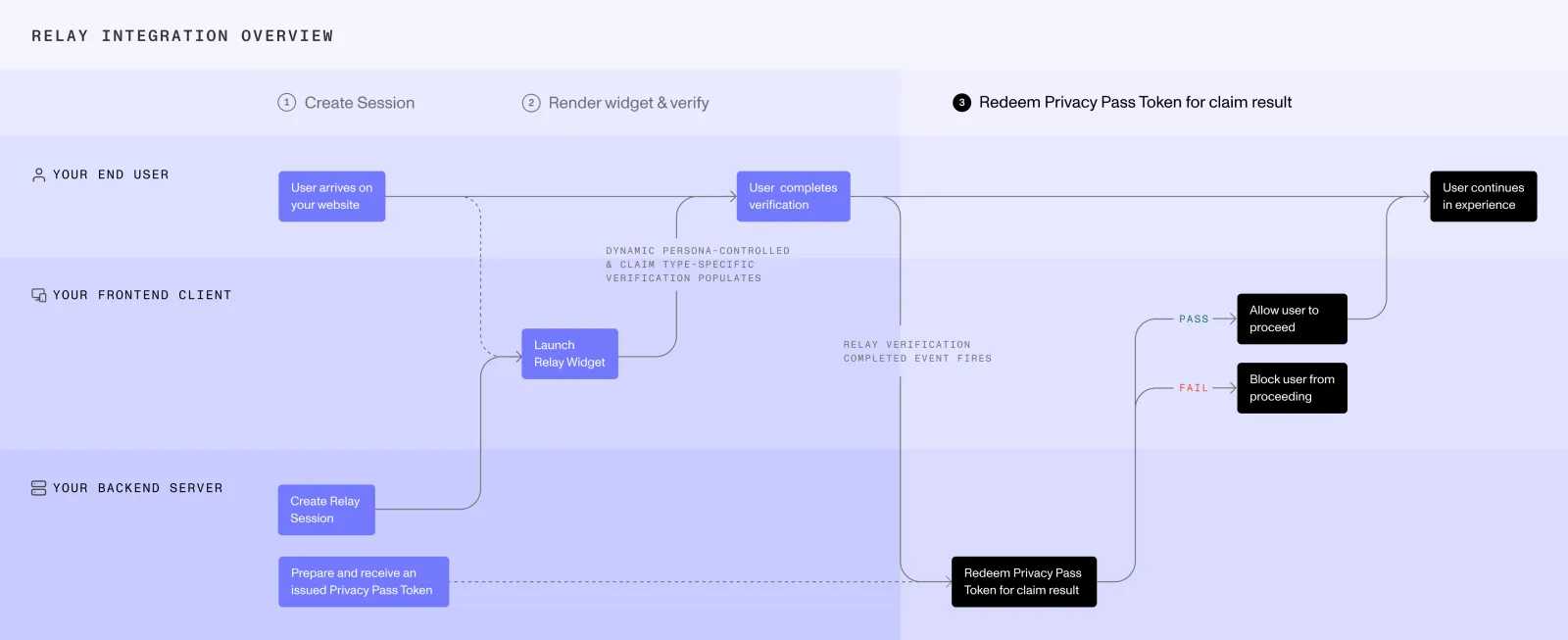
A Relay integration requires two components: a client-side integration that runs the user-facing verification and a server-side integration that creates the Relay session and retrieves the claim result. Together, these components support Relay’s Privacy Pass flow, which cryptographically separates verification from claim redemption.
Choose the client-side and server-side methods that best fit your product experience and technology stack. Relay supports web, iOS, Android, and multiple backend environments. If you need another platform or integration method, contact support or talk to your Persona team.
How client-side and server-side integrations work together
1. Create a Relay session
Your server creates a Relay session, stores the Relay token and Relay secret, and returns the Relay session access token to the client.
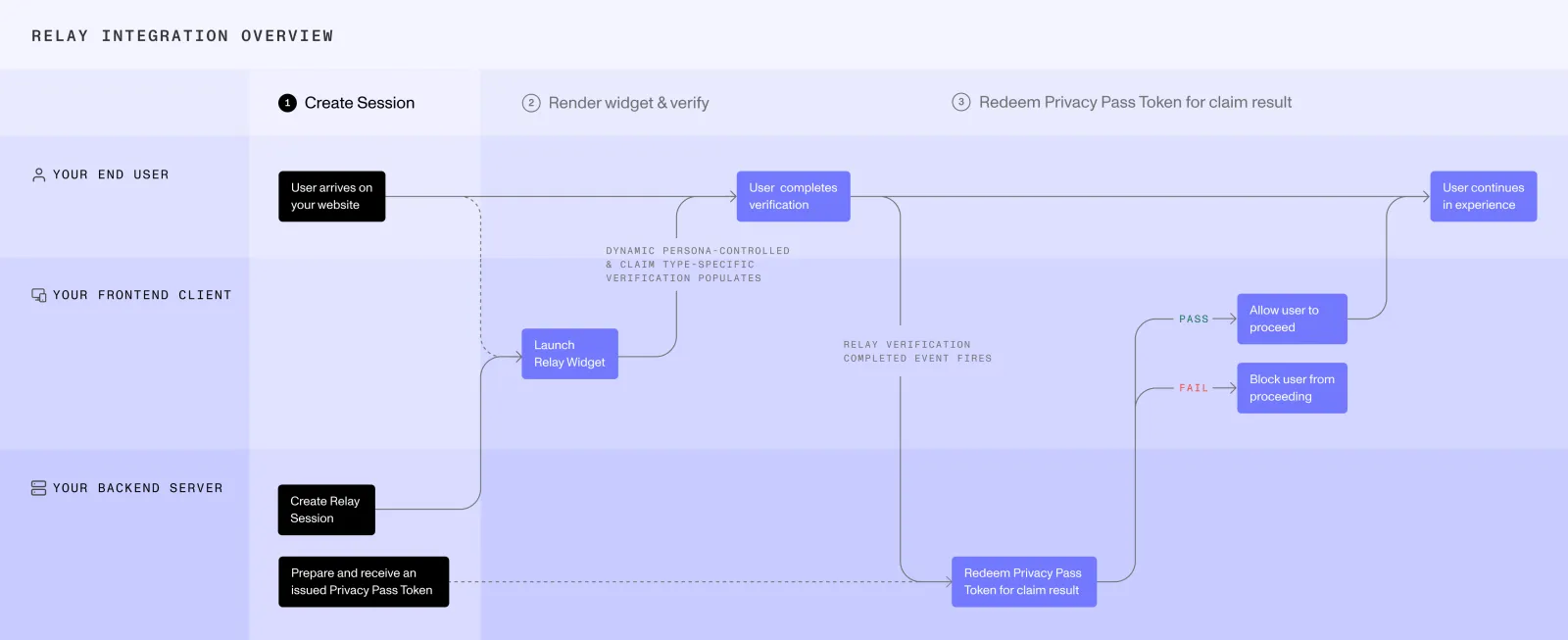
2. Run the user-facing verification
The client uses the Relay session access token to start the verification through the Embedded Widget, Hosted Flow, iOS SDK, or Android SDK.
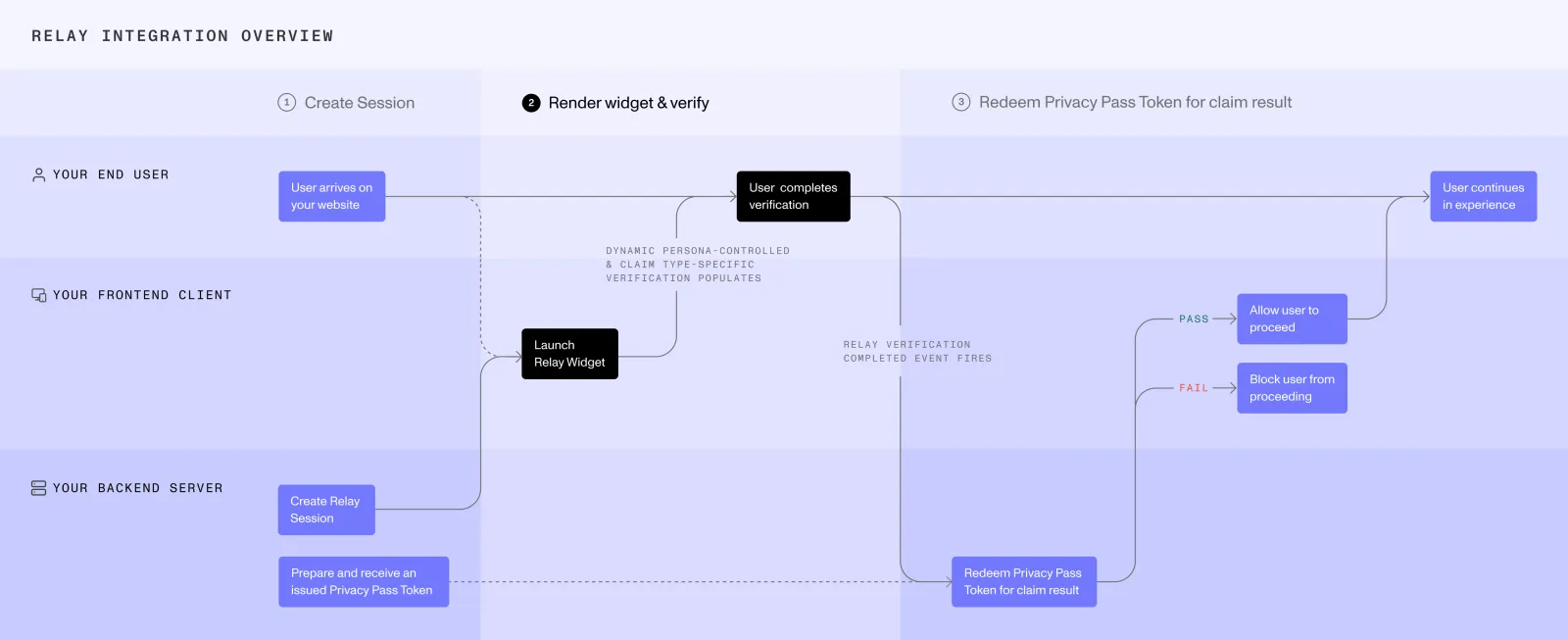
3. Retrieve the claim result
Your server uses its selected server-side integration to generate and retrieve the claim result.
Begin claim retrieval when your client-side integration indicates that the user-facing flow is complete:
- Embedded Widget: Call your server from
onComplete. - Hosted Flow: Begin polling your backend when the user launches Hosted Flow.
- iOS SDK and Android SDK: Call your server after the platform’s normal Inquiry completion mechanism reports that the user-facing experience ended.
Client-side integration methods
Server-side integration methods
Use the same server-side method to create the Relay session, manage the Privacy Pass, and retrieve the claim result.
Test before you go live
To test a Relay integration, use sandbox mode. You can exercise the full flow — session, verification, Privacy Pass, and claim result — without running real verifications or incurring usage charges.
See the whole flow before you build