

Webhook Allowlists
Use allowlists to control what types of information your webhooks include. View and edit your webhooks’ allowlists on each Webhook’s Payload Configuration tab.
Related Objects
Configure which related objects are returned in your Webhook Events’ included array. By default, Webhook Event payloads do not include any related objects. You can configure which related objects to return for each event type. For example, if your Webhook includes account.created and inquiry.completed events – you will be able to configure which related objects are returned separately for your Account events and Inquiry events.
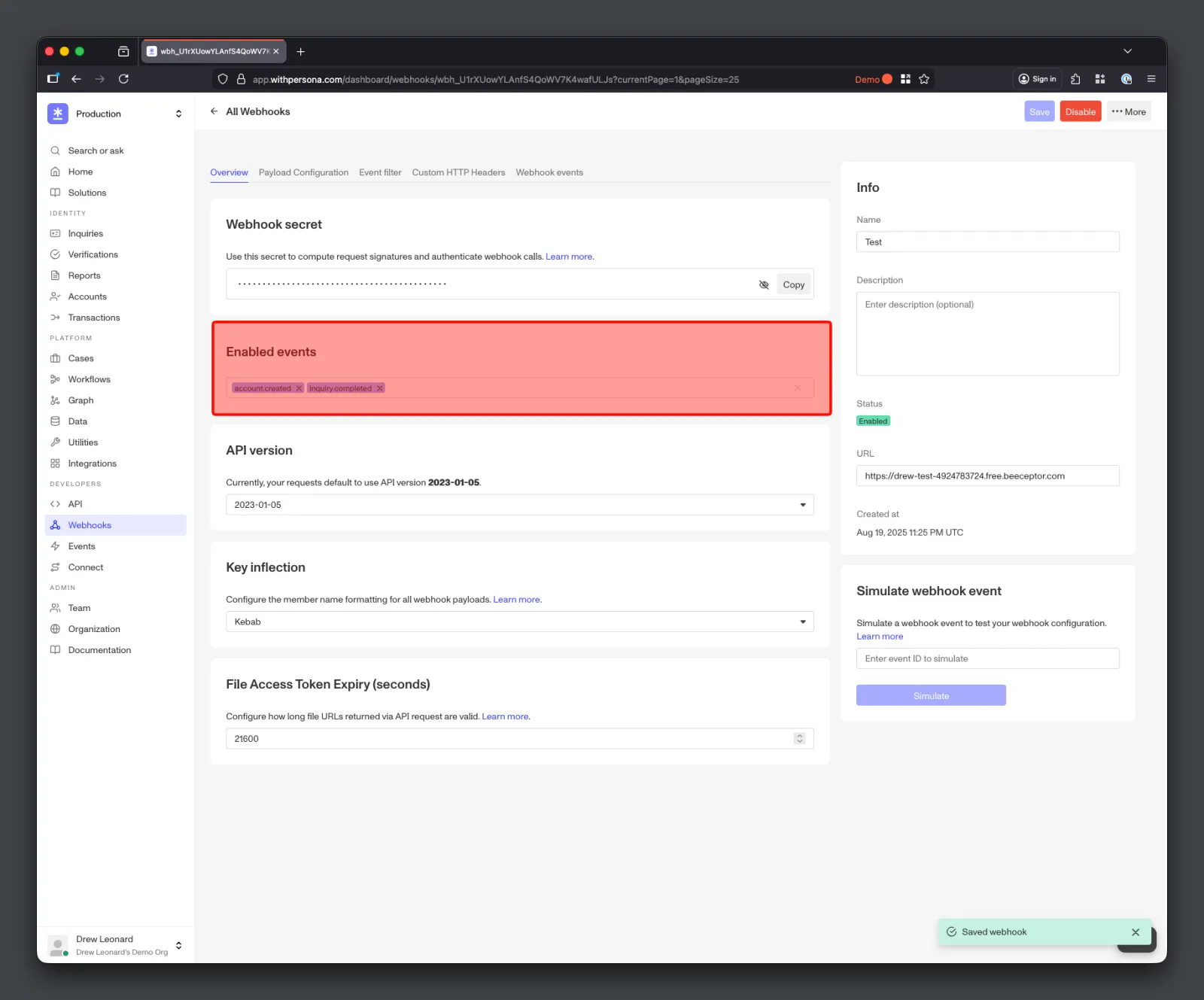
Example
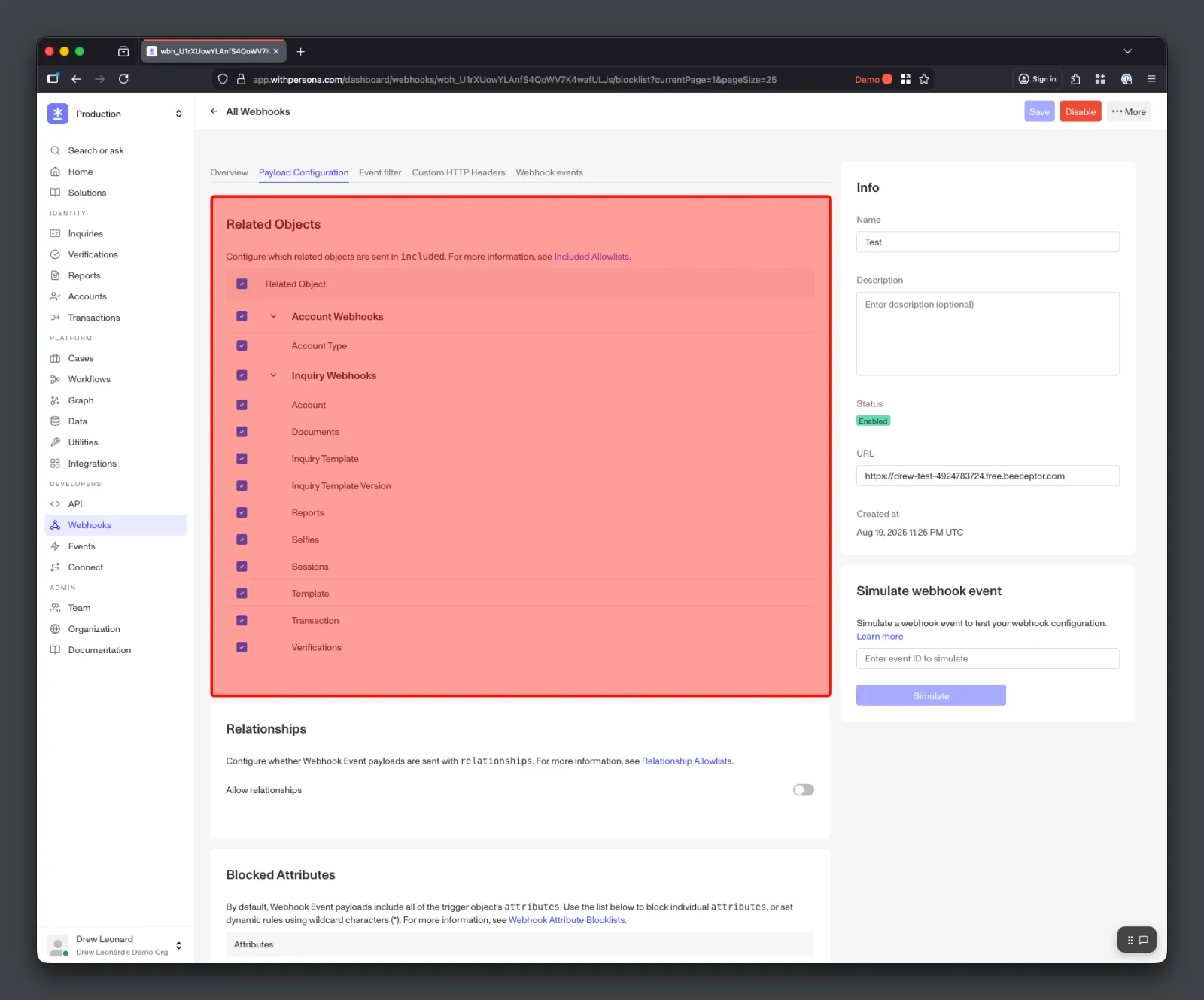
The top-level section corresponds to each event type enabled for the Webhook. For example, if your Webhook has the inquiry.completed event enabled – you will see an “Inquiry Webhooks” section. This will let you configure which related objects are included with your Inquiry events on the Webhook. You can enable or disable all related objects for a given Event type in bulk, or you can configure individual related objects.
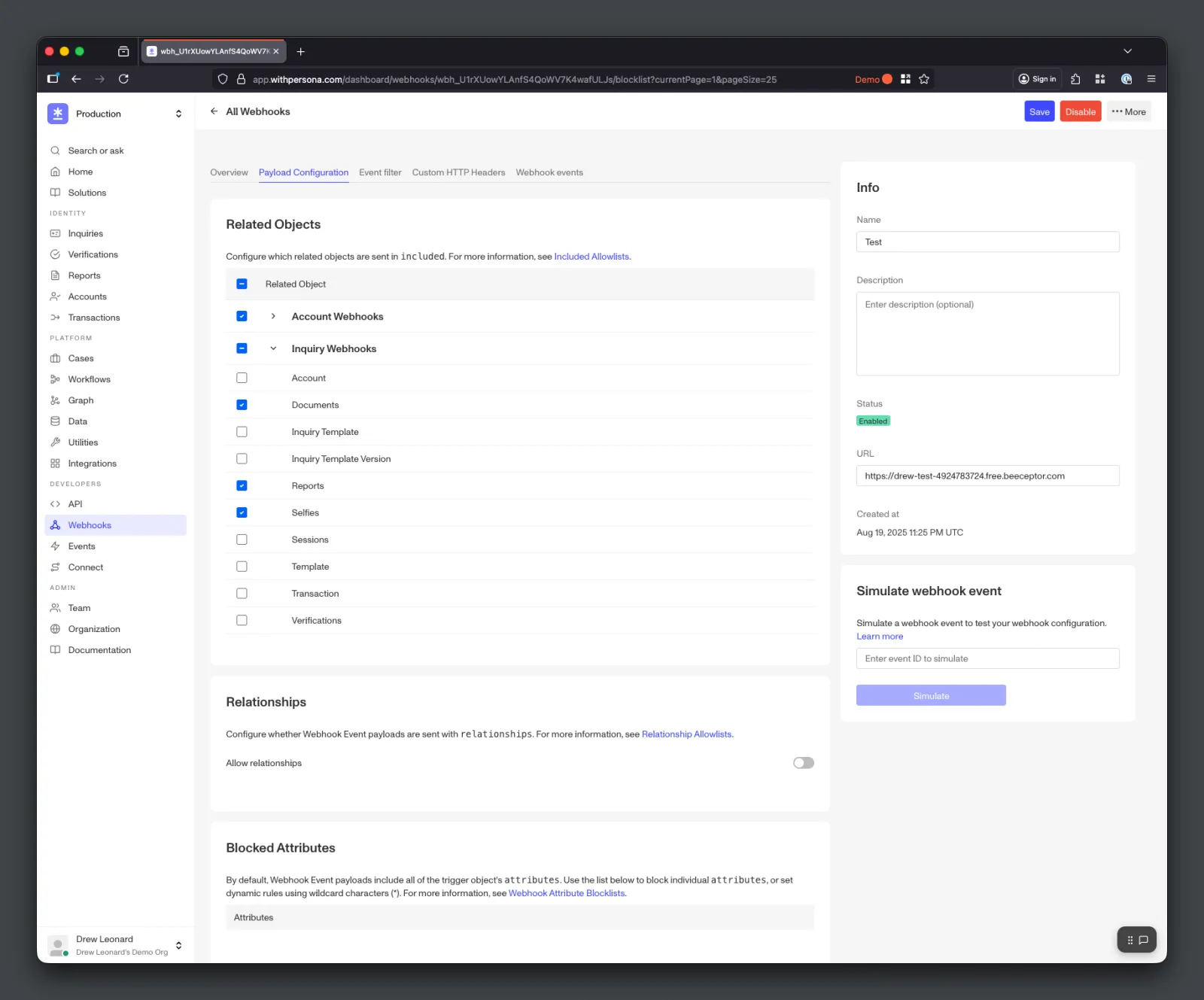
From the screenshot above – this configuration would only include document, reports, and selfie related objects for Inquiry Events. This means that an inquiry.approved event could have the following payload in the included key:
Configuring via the API
Related objects can also be configured programmatically when you create or update a Webhook, using the included-allowlist attribute. This mirrors the Related Objects configuration in the Dashboard.
Set state to one of:
include_all– include every related object for all of the Webhook’s event types.include_none– include no related objects (the default).custom– configure related objects per event type viaevent-types.
For custom, event-types is an array of { "event-type", "relationships" } entries. Use ["*"] to include every related object for that event type, or list specific relationship names (the two cannot be combined). Event types you omit return no related objects.
Configuration stays in sync with your enabled events
You can only configure event types that the Webhook is subscribed to via enabled-events – entries for other event types are dropped when the Webhook is saved. A custom configuration whose event types all include every related object (["*"]) is equivalent to, and is stored as, include_all. The API response reflects the stored configuration, listing only the event types that include related objects.
Relationship Allowlist
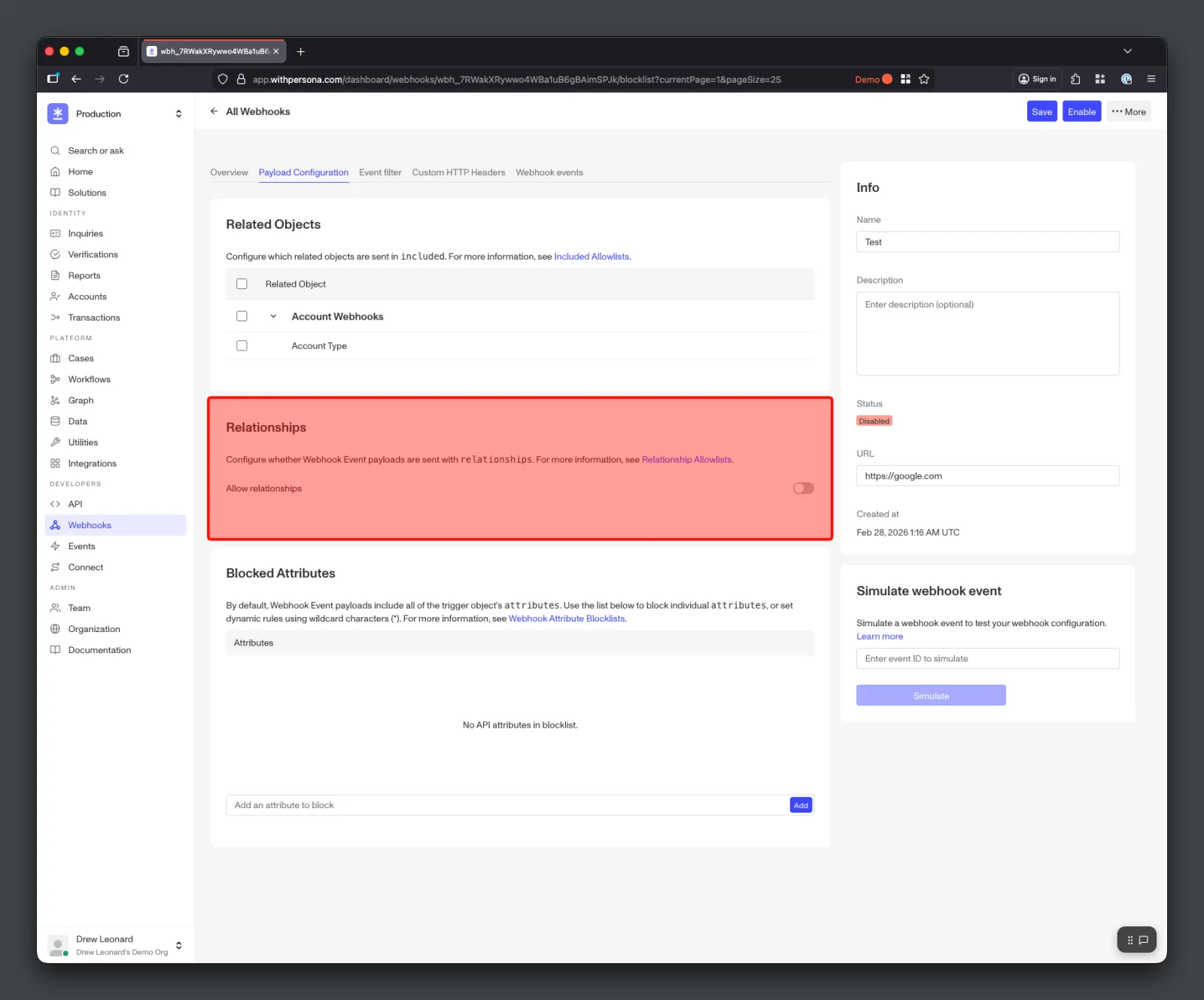
By default, Webhook Event payloads will include all of the trigger object’s related objects in relationships. You have the option of fully removing all relationships from webhook event payloads using the Relationships toggle.
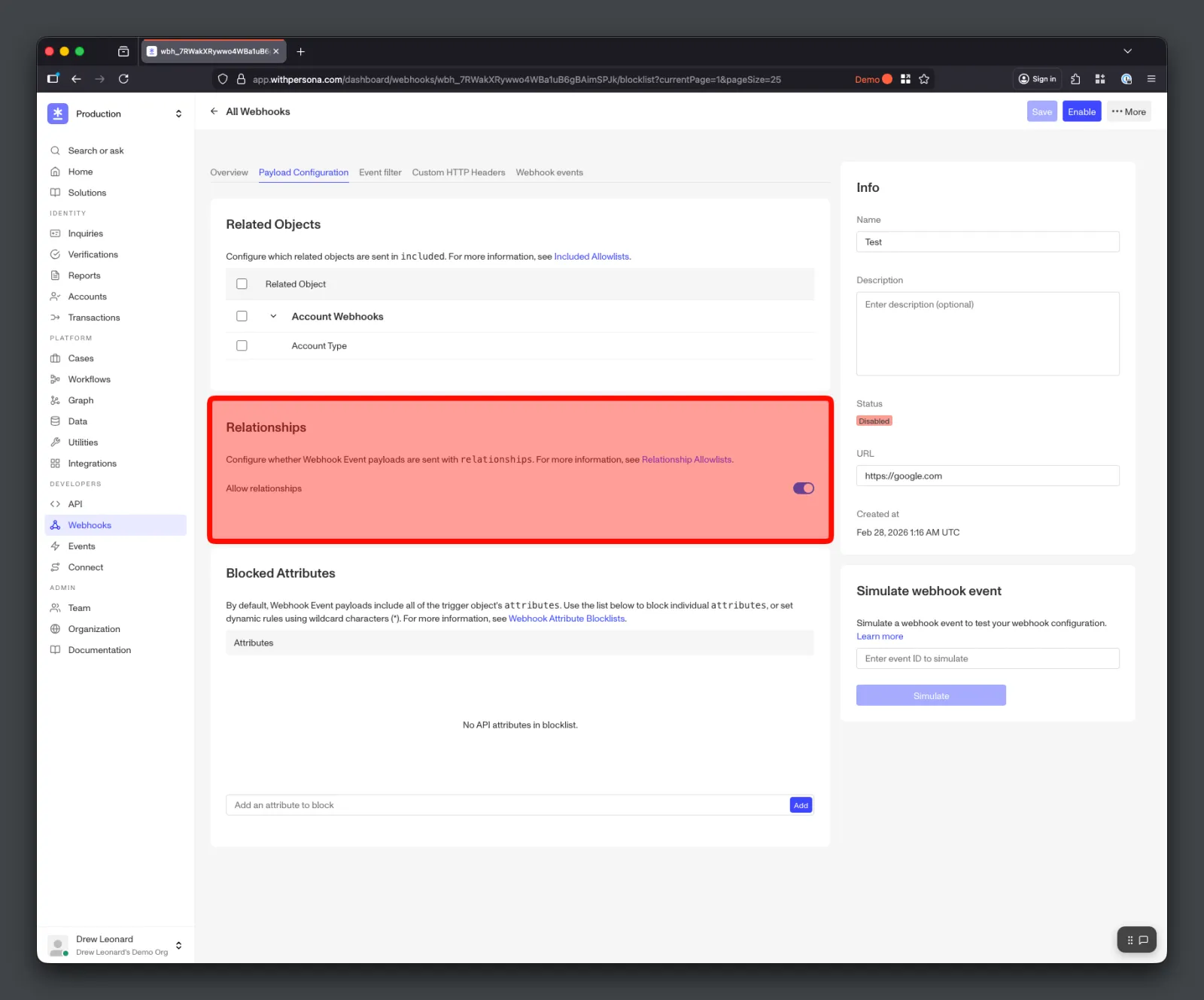
Example
Let’s say you get the following information from a Webhook with the inquiry.approved Event enabled:
To remove those relationships from your Webhook Events, you can disable the Relationships toggle.
The new payload would look like this: