

Graph
Feature-rich link analysis to help you find and block fraud
Graph is a link analysis tool that helps you conduct fraud investigations faster and at scale. With Graph, you can query all your Persona accounts to identify which ones share similar data (like particular email addresses, IP addresses, etc.), and thus might be part of the same network of bad actors.
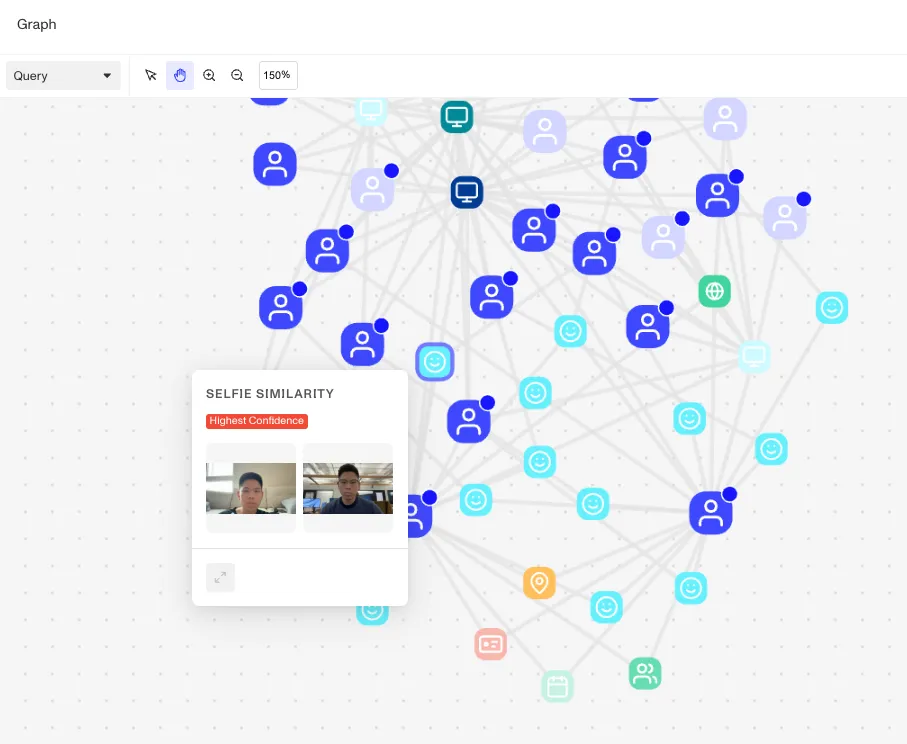
Graph Explorer, the UI tool provided with Graph, lets you and your operations team craft queries and visualize the connected accounts that your queries surface. You can view, navigate, and drill into networks of connected accounts. When appropriate, you can easily bulk-select and take action on accounts you suspect of fraud.
You can enrich your accounts with additional data from outside Persona and use it in your queries.
To set up ongoing monitoring, you can save a graph query as a query template and automatically run it with a Persona workflow. For example, you can create a graph query template that checks for specific fraud signals relevant to your organization, and set up a workflow that runs that query every time a new account is created (representing a new user onboarding to your app).
Learn more
See our Help Center for details about how you can use Graph. A few starting points: