Managing Connections
Sharing data requires setting up a Connection with your partner organization. The Source Organization creates the Connection by indicating which Destination Organization they would like to share data with, and what types of data they would like to share. The Destination Organization activates the Connection, after which the Source and Destination Organizations are ready to share data.
The Source Organization creates the Connection to the Destination Organization only once. Organizations with multiple data sharing partners will have multiple Connections (one Connection per data sharing partner). Connections are one-directional – data sharing pairs that would like to share data in both directions will use two Connections.
The Source Organization creates the Connection, and the Destination Organization activates it. Destination Organizations cannot create the Connection, and Source Organizations cannot activate it.
Step 1: Create the Connection
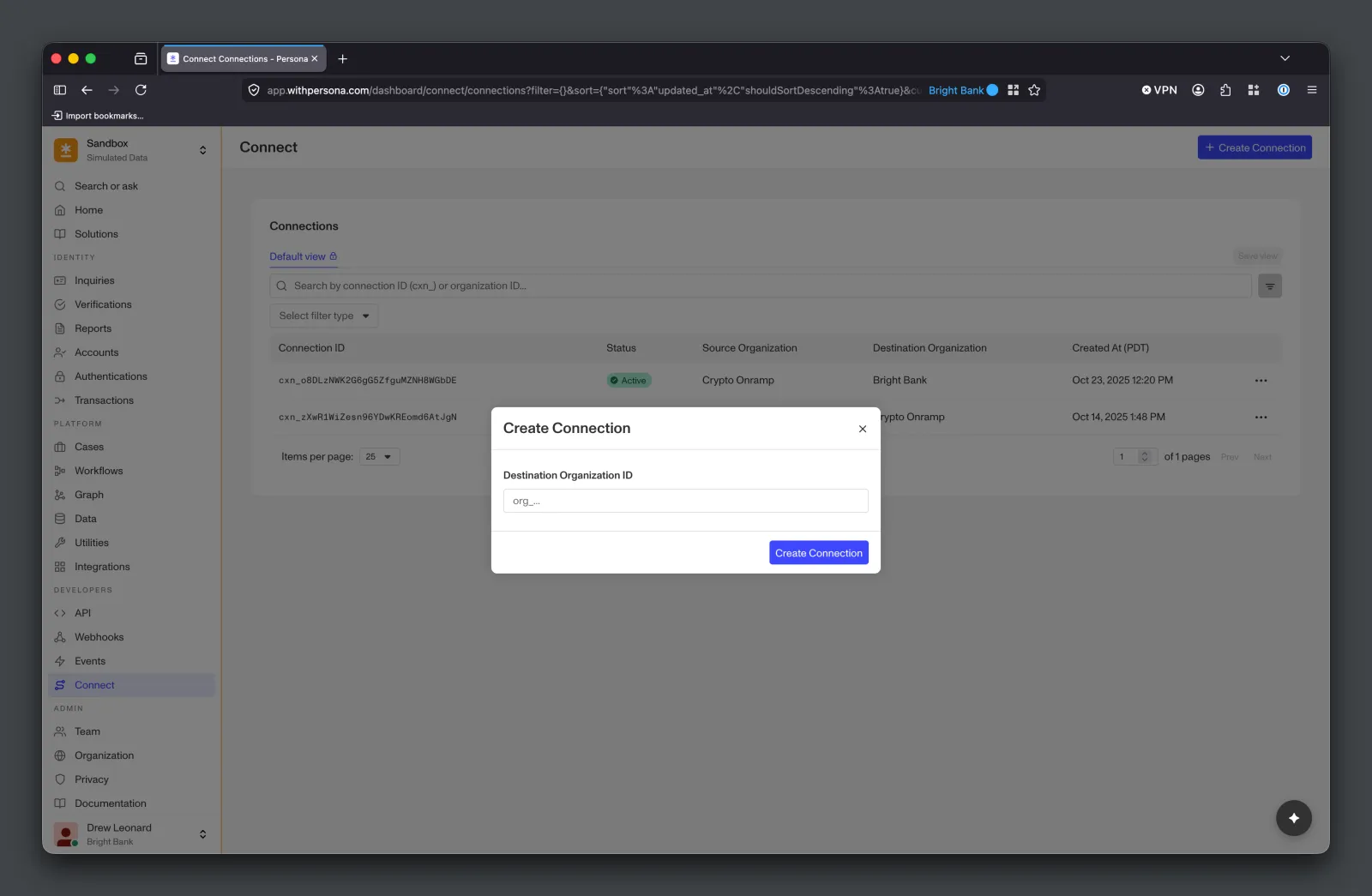
The Source Organization can create the Connection via Dashboard or API. The Source Organization uses the Destination Organization’s Organization ID (available in the Destination Organization’s Dashboard under Organization > Information) to create the Connection.
Creating Connections via Dashboard
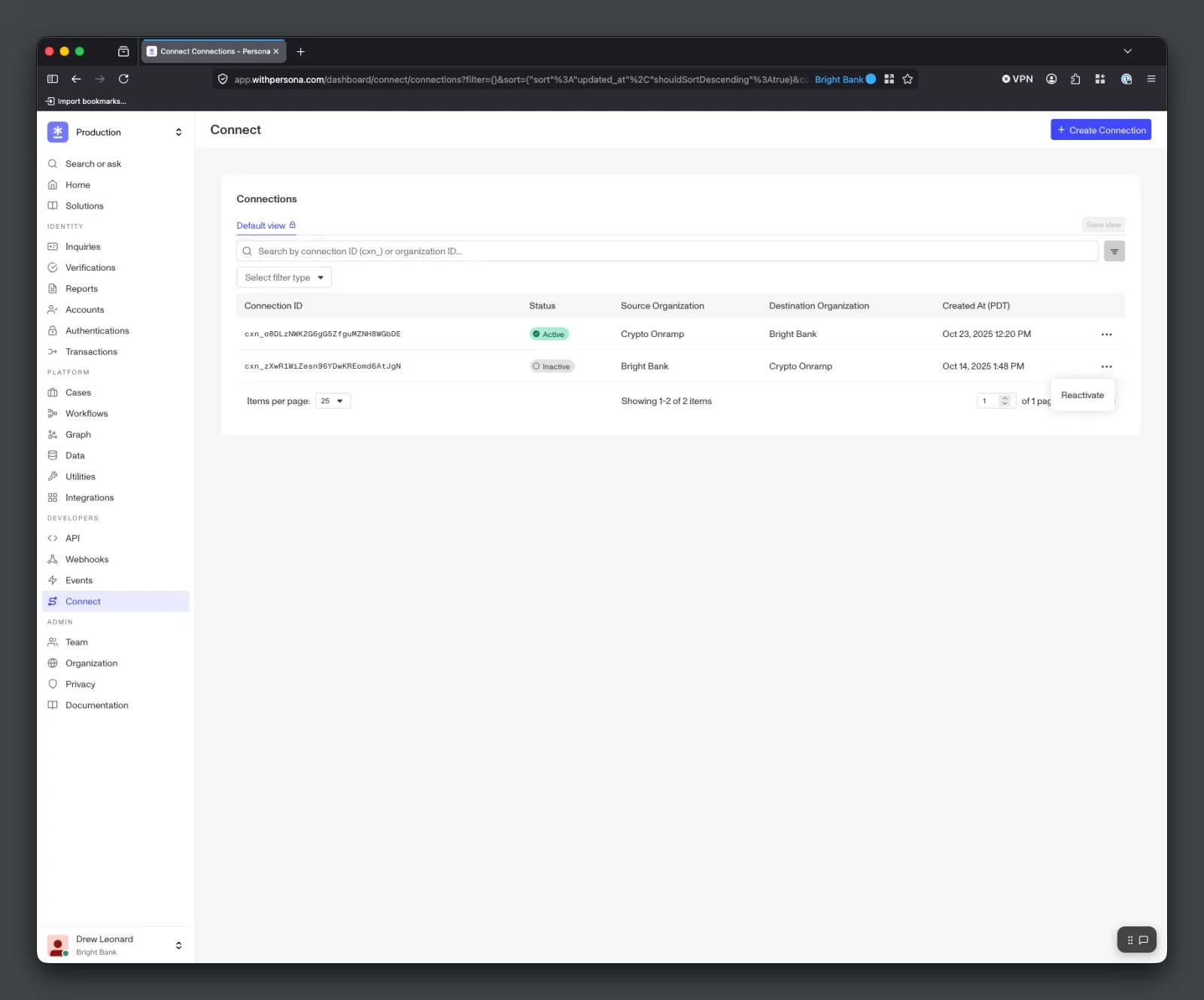
Source Organizations can use the Dashboard’s Connect > Connections page to create Connections.
Creating Connections via API
Alternatively, Source Organizations can create Connections with the Connect API.
Step 2: Activate the Connection
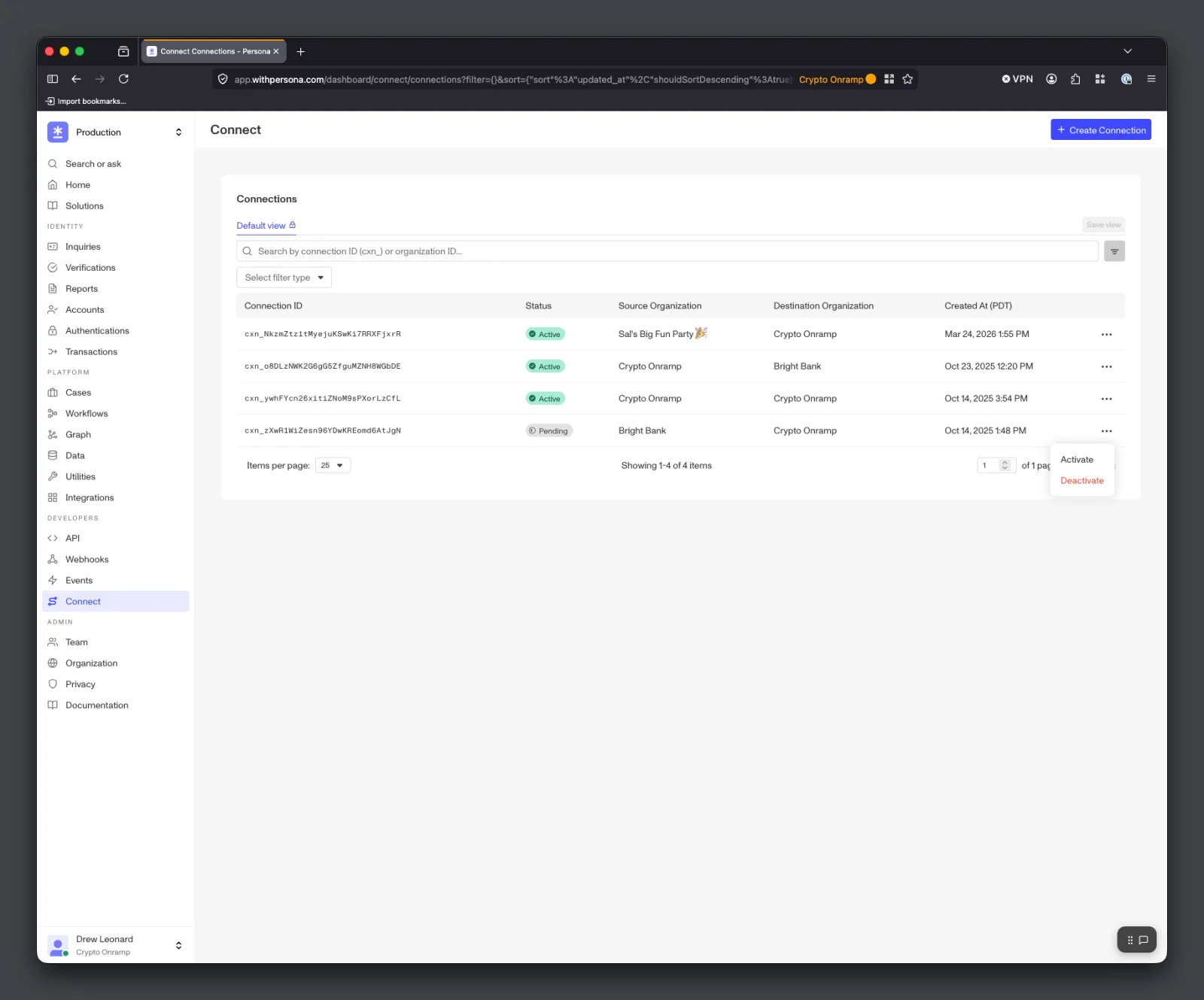
A newly created Connection starts in pending status. The Destination Organization activates it from the Dashboard’s Connect > Connections page, moving it to active. The Connection must be active for the Source and Destination Organizations to share data — Share Tokens cannot be issued while the Connection is pending or inactive.
Connection activation is available from the Dashboard only — there is no
external API endpoint for activating a pending Connection.
Deactivation and Reactivation
Either the Source Organization or the Destination Organization can deactivate a Connection from pending or active, moving it to inactive.
Only the Source Organization can reactivate an inactive Connection. Reactivation returns the Connection to pending — the Destination Organization must then activate it again to move it back to active. This ensures the Destination Organization re-consents before data sharing resumes.
Connections can also be deactivated and reactivated via API. Both the Source and Destination Organization can deactivate a Connection from pending or active, moving it to inactive. Only the Source Organization can reactivate an inactive Connection.