

Creating Share Tokens
Source Organizations can create Share Tokens to share their KYC/KYB data with Destination Organizations. Destination Organizations can redeem Share Tokens to import the data and, as needed, run additional Verifications and Reports.
Customers can create Share Tokens from Inquiries, Transactions, Accounts, or Verifications. They can do so via API, Dashboard, or Workflows.
Creating Share Tokens via API
To create a Share Token via API, the Source Organization provides the Connection ID and a Source ID. The connection-id specifies which partner organization can access the specified source-id, and only that partner organization is able to redeem the created Share Token. The source-id can be an Inquiry, Transaction, Account, or Verification ID (e.g., inq_ABC123, txn_ABC123, act_ABC123, or ver_ABC123).
Use expires-in-seconds to set a TTL for Share Tokens, between 1 minute and
21 days. When omitted, Share Tokens default to expiring 14 days after
creation.
Creating Share Tokens via Dashboard
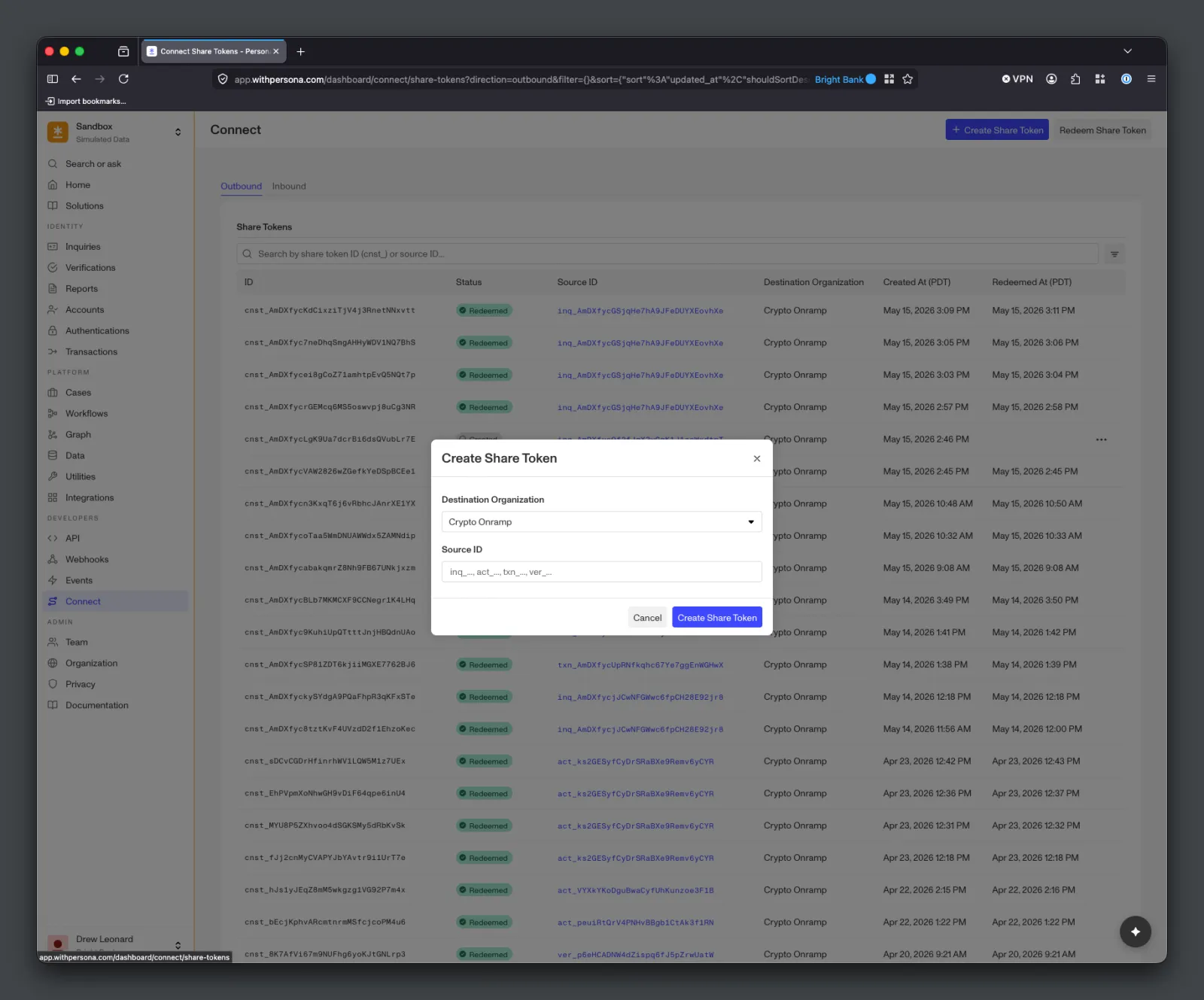
Source Organizations can also create Share Tokens using their Dashboard under the Connect > Share Tokens page. This can be helpful for testing and one-off data shares. Creating the Share Token requires selecting a Connection and providing a Source ID (an Inquiry, Transaction, Account, or Verification ID). Only the specified Destination Organization will be able to redeem the Share Token.
Expiring Share Tokens
Share Tokens with a TTL expire automatically when their expires-at time passes (see Setting a TTL). The Source Organization can also expire a Share Token early via API, moving it to expired status so it can no longer be redeemed.
Only the Source Organization can expire a Share Token early.
Creating Share Tokens via Workflows
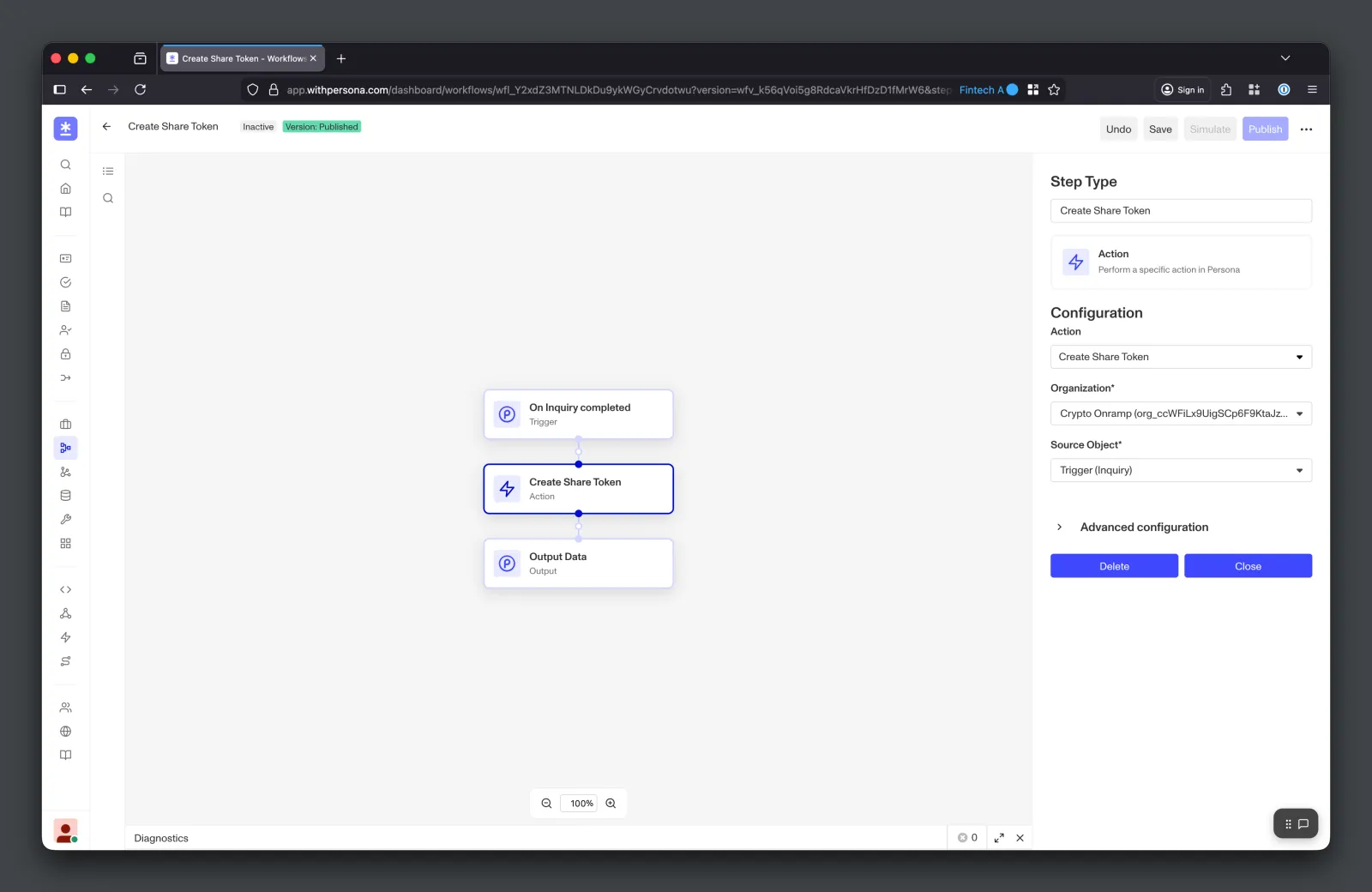
Source Organizations can use Workflows to automate Share Token creation. For example, the Source Organization can use a Workflow to automatically create a Share Token upon Inquiry completion. Similarly, the Destination Organization can use a Workflow to automatically redeem the created Share Token. This can be helpful for integrating into Connect with minimal development work.
Sending Share Tokens to Destination Organizations
After creating a Share Token, the Source Organization can send it to the Destination Organization using the Destination Organization’s API or SDK, or another secure channel. Alternatively, the Destination Organization can use a Workflow to automatically get notified about and redeem Share Tokens when they are created.
Outbound Share Token Events
Source Organizations receive the following events related to Share Tokens. These events can be used to trigger Webhooks and Workflows.
connect/share-token.outbound-created— Occurs in the Source Organization when it creates a Share Token for a Destination Organization. Use this event to confirm creation and notify downstream systems.connect/share-token.outbound-redeemed— Occurs in the Source Organization when the Destination Organization’s Share Token redemption has finished. At this point, the Share Token’sstatusisredeemed.