

Redeeming Share Tokens
Destination Organizations can redeem Share Tokens from Source Organizations to import KYC/KYB data and, as needed, run additional Verifications and Reports. Customers can redeem Share Tokens via API, Dashboard, Workflows, or Inquiries (client-side).
Share Tokens can only be redeemed between matching environment types: Sandbox to Sandbox and Production to Production.
Redeem Modes
When redeeming Share Tokens, Destination Organizations can either clone existing KYC/KYB results or hydrate another object with the shared data. Customers that clone existing results can still run additional Verifications and Reports as needed.
Clone Objects
Use cloning when you want a copy of the existing KYC/KYB results—for example, for KYC Reliance or auditing. You can clone Inquiries and Verifications, and you have the option to run additional Verifications and Reports as needed.
- Inquiry: Copies the Inquiry and its related Verifications.
- Verification: Copies an individual Verification.
- Additional checks: After cloning, you can run additional Verifications or Reports as needed.
Persona currently supports cloning Government ID, Selfie, Database, Generic Document, Email Address, and Phone Number Verifications.
Hydrate Objects
Use hydration to import fields into a new or existing Account, Inquiry, or Transaction. Choose this mode when you want to run your own Verifications and Reports through an Inquiry or Transaction, or when you need a direct copy of the shared PII fields. Hydration does not copy Verifications or Reports from the source object.
- Source and destination types: Accounts, Inquiries, and Transactions can hydrate one another in any combination.
- Inquiry destination: Persona runs the Inquiry using the Destination Organization’s Inquiry Template, including its configured Verifications and Reports. If required information is missing, the Inquiry may remain
createdorpending. - Account or Transaction destination: Persona copies the source fields into the destination object. You can use Workflows to run additional Verifications, Reports, or other logic.
Redeeming Share Tokens via API
Destination Organizations can use the Connect API to redeem Share Tokens. Omit destination-id to clone the source object. Provide destination-id to hydrate that destination object.
Clone via API
To clone an Inquiry or Verification, call the /redeem endpoint without a destination-id. You can omit the request body or send empty attributes.
Persona returns 202 Accepted with the Share Token in pending status while it creates the new object. The new object’s ID is available after cloning finishes.
Hydrate via API
To hydrate an Inquiry, Transaction, or Account, provide its ID as destination-id. When hydrating an Inquiry, the /redeem endpoint also automatically runs that Inquiry in the Destination Organization’s Persona environment.
The /redeem endpoint’s destination-id accepts an Inquiry, Transaction, or
Account ID (e.g., inq_XYZ789, txn_XYZ789, or act_XYZ789). To get a
destination ID, first create the destination object via API. When the
destination is an Inquiry, redeeming the Share Token will automatically run
that Inquiry, and the inquiry-template-id used to create the Inquiry
determines which Inquiry Template the /redeem endpoint uses to verify the
end user’s data from the Share Token.
Persona returns 202 Accepted with the Share Token in pending status while it imports the source data.
Redeeming Share Tokens via Dashboard
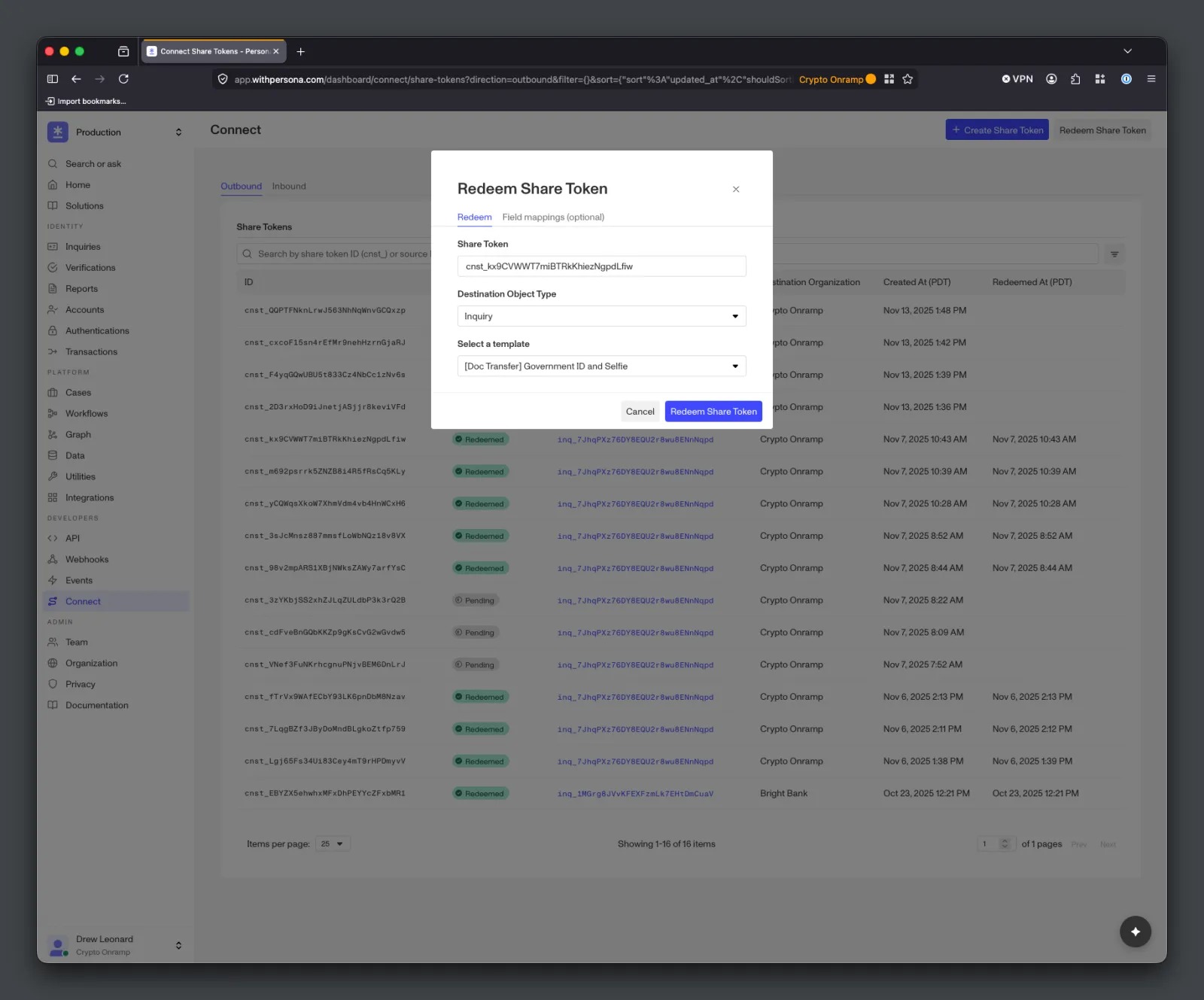
Destination Organizations can also redeem Share Tokens using their Dashboard under the Connect > Share Tokens page. This can be helpful for testing and one-off data shares. Choose whether to clone or hydrate when redeeming the Share Token. To clone, select the clone option and Persona creates a copy of the source object. To hydrate, select a destination object type and the corresponding Inquiry Template, Transaction Type, or Account Type.
Redeeming Share Tokens via Workflows
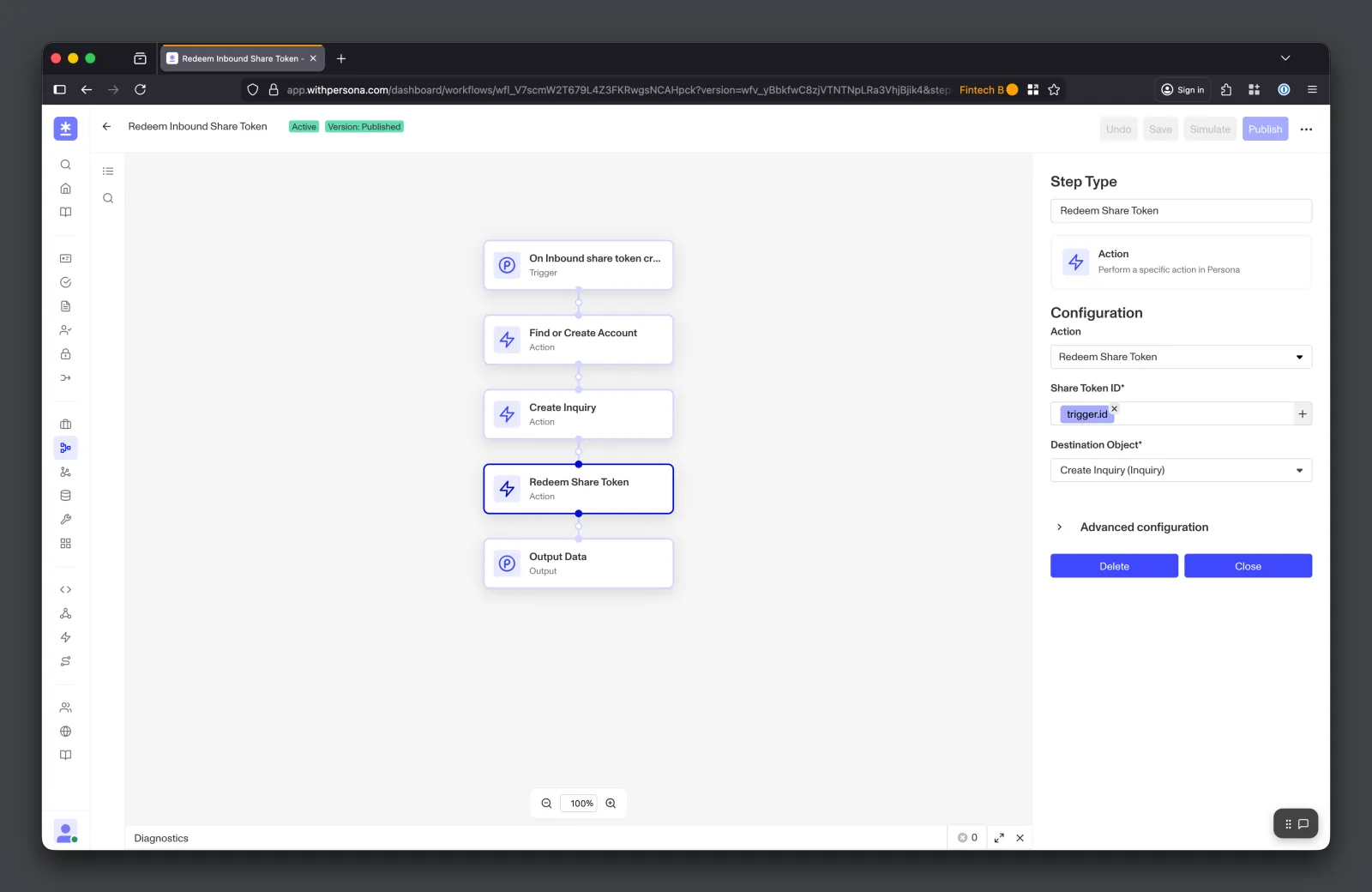
Destination Organizations can use Workflows to automate Share Token redemption. In the Redeem Share Token action, leave the destination blank to clone the source object, or provide a destination object to hydrate it. For example, the Destination Organization can use a Workflow to automatically redeem a Share Token upon creation by the Source Organization.
Redeeming Share Tokens via Inquiry (Client-Side)
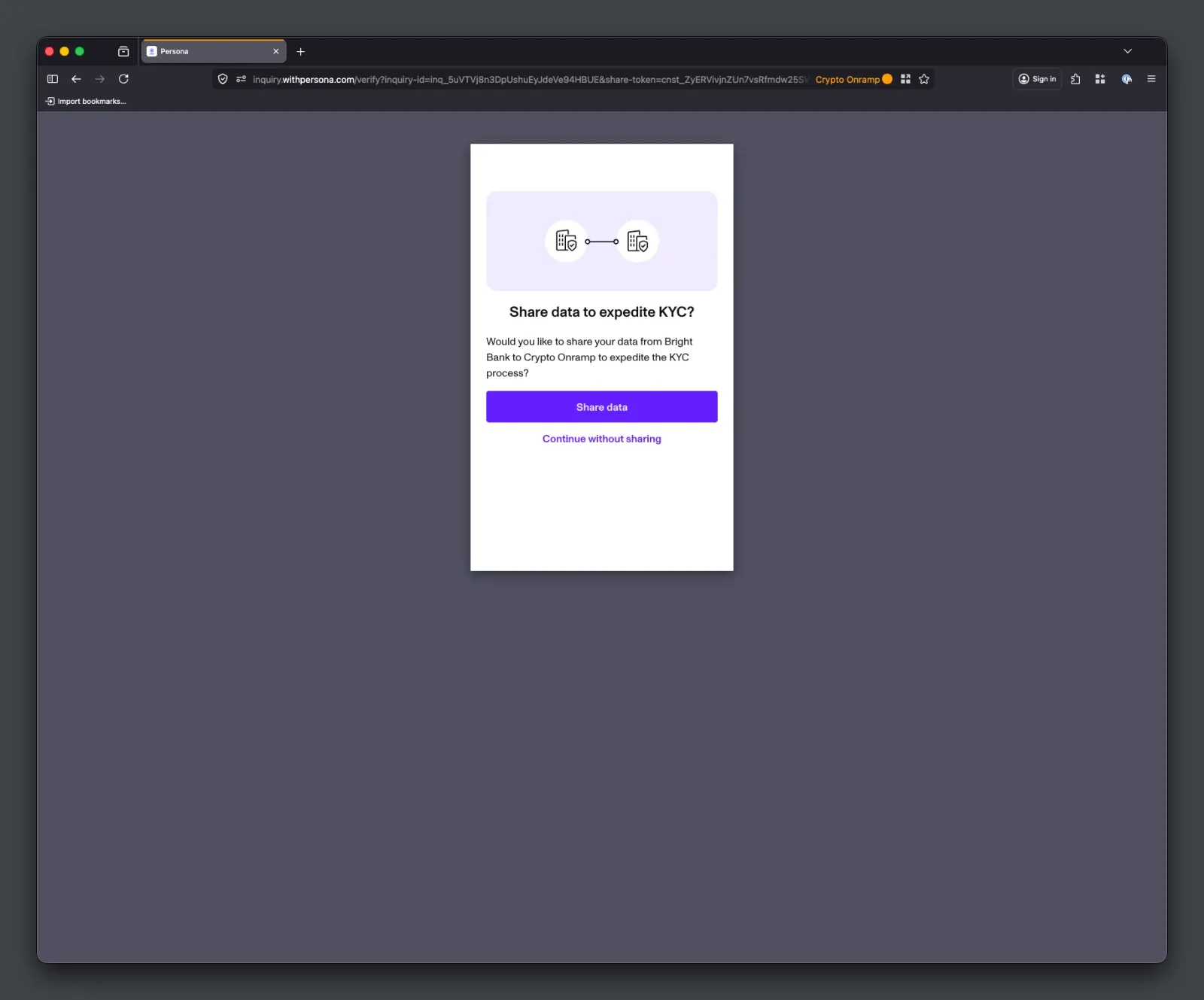
Destination Organizations with an Inquiry integration can redeem Share Tokens client-side by passing a Share Token ID as a parameter when instantiating Inquiries. The Inquiry will surface a consent screen to the end user, redeem the Share Token, and dynamically collect any additional data required by the Destination Organization’s Inquiry Template. This approach can minimize the development work associated with integrating into Connect and redeeming Share Tokens.
Client-side redemption supports Inquiry destinations only — the consent and dynamic-collection flow described below is Inquiry-specific. To redeem into a Transaction or Account, use the API, Dashboard, or Workflows.
How It Works
Pass in a Share Token ID as a parameter when instantiating Inquiries, alongside either inquiry-template-id (to create a new Inquiry) or inquiry-id (to resume an existing Inquiry).
Persona handles the rest:
- The end user sees a consent screen describing the data being shared.
- Once the user accepts, Persona redeems the Share Token against the Inquiry.
- If the Source Inquiry has all the data the Destination Inquiry Template requires, the Inquiry completes automatically.
- If any data is missing, the Inquiry dynamically collects it from the end user as a fallback.
Examples
Hosted Flow
Embedded Flow
Inlined Flow
iOS SDK
Android SDK
React Native SDK
Append share-token and inquiry-template-id to the hosted flow URL to create and redeem the Share Token in a new Inquiry.
To redeem against an existing Inquiry, append share-token and inquiry-id instead.
Mapping Fields During Redemption
When a Share Token hydrates an existing destination, the source object’s fields are imported into the destination object. By default, Persona matches source fields to destination fields by name. When the two organizations use different field names for the same data (e.g., source salary vs. destination income), Destination Organizations can provide field mappings during redemption to explicitly pair source field names with destination field names.
Field mappings are optional and only apply to hydration. They are not used when cloning. Persona applies them to source fields that do not already match destination fields by name. Providing them can help prevent stuck Inquiries when redeeming into an Inquiry, and can improve hydrated coverage when redeeming into a Transaction or Account.
Field mappings support dot notation for nested destination fields — for example, mapping a flat source field name_first to a nested destination field name.first.
Mapping Fields via API
Pass field-mappings under meta when calling the /redeem endpoint. Each mapping requires a source-field-name and destination-field-name.
Mapping Fields via Dashboard
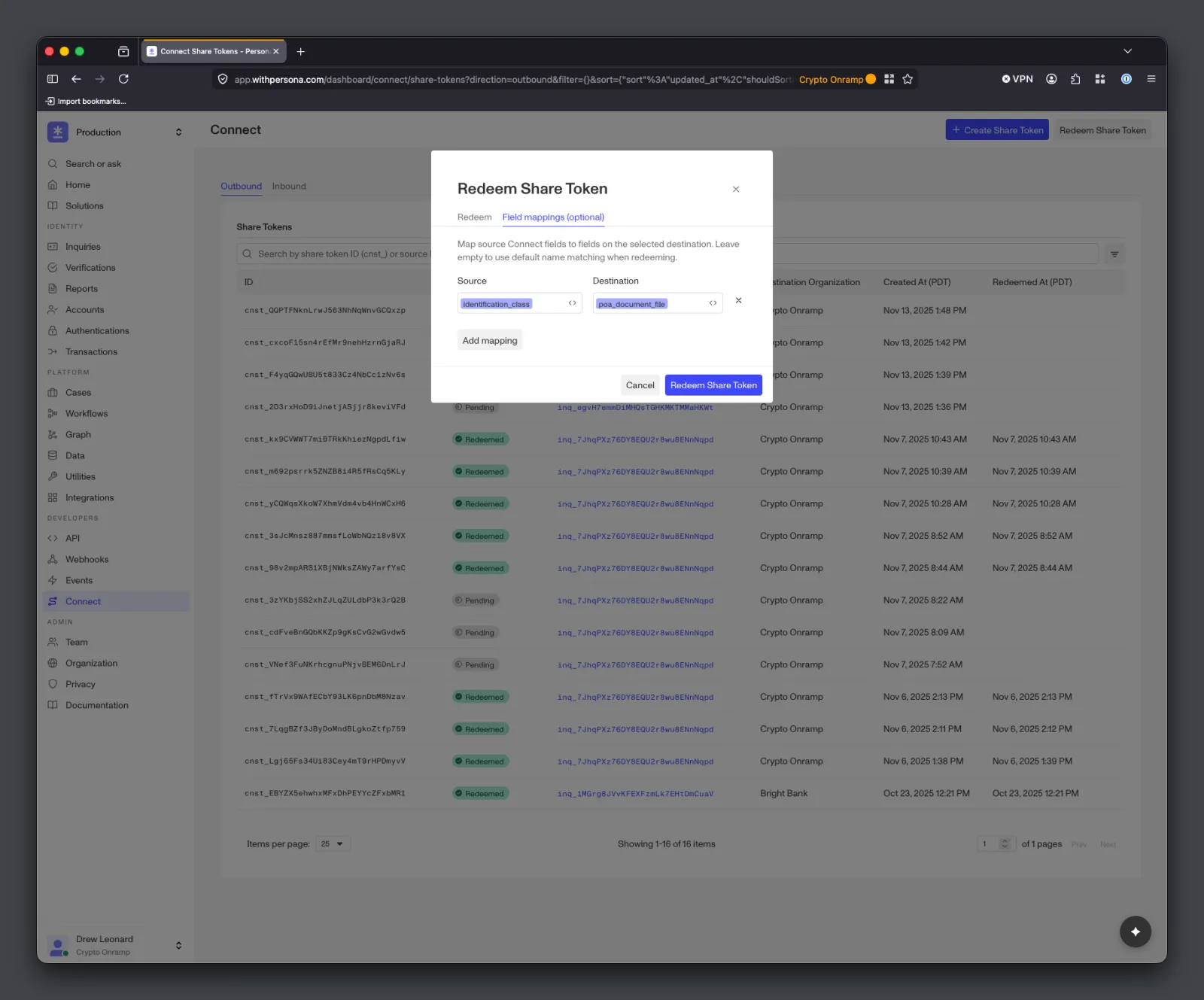
When redeeming a Share Token from the Dashboard, open the Field mappings (optional) tab in the Redeem Share Token modal. Add a row for each source-to-destination field pair, then click Redeem Share Token.
Viewing Redeemed Share Tokens
Once the Share Token is redeemed, the cloned or hydrated object is ready. The Destination Organization can view it in the Dashboard or retrieve it via API.
Redeeming Logic
Share Token Statuses
Share Tokens can have the following statuses:
created: Share Token is new, and the Destination Organization can redeem itready: Persona has prefetched and cached the source data snapshot, and the Destination Organization can redeem itpending: Share Token redemption is currently processingredeemed: Share Token redemption has finished processingexpired: Share Token is expired and unable to be redeemedfailed: Share Token redemption could not complete and is not retryable
Hydrating Inquiries
Redeeming a Share Token into an Inquiry automatically runs that Inquiry against the Destination Organization’s Inquiry Template, executing any Verifications and Reports it requires.
Once redeemed, the destination Inquiry has either reached a terminal status (e.g., completed) or gotten stuck (created or pending). It reaches a terminal status if the source Inquiry has all the fields the destination Inquiry requires (e.g., PII, images, documents); it gets stuck if any required fields are missing — for example, the destination Inquiry Template requires a Proof of Address document but the source Inquiry only collected Government ID and Selfie. The specific terminal status depends on the Destination Organization’s Inquiry Template, and the Destination Organization can fetch the destination Inquiry to check its status.
To prevent stuck Inquiries, align the source and destination Inquiry Templates as closely as possible. When Inquiries do get stuck, Persona recommends providing end users with a fallback flow: users can resume stuck Inquiries, or complete a new Inquiry altogether. Client-side redemption sidesteps stuck Inquiries entirely — end users are already in the flow, so any missing fields are collected dynamically.
Hydrating Transactions and Accounts
Redeeming a Share Token into a Transaction or Account hydrates the destination object with data from the source object. Customers often trigger Workflows upon Share Token redemption to run additional Verifications, Reports, or logic as needed.
Any fields the source object does not have are left unset on the destination object. To maximize hydrated coverage, align the source and destination schemas as closely as possible.
Redeeming Latency
Share Token redemptions, including cloning, happen in the background. Hydrating an Inquiry usually takes the longest because it runs Verifications and Reports. Hydrating a Transaction or Account only copies fields, so it typically finishes much faster, though running additional Verifications and Reports will add latency.
Inbound Share Token Events
Destination Organizations receive the following events related to Share Tokens. These events can be used to trigger Webhooks and Workflows.
connect/share-token.inbound-created— Occurs in the Destination Organization when a Source Organization creates a Share Token for it. Use this event to automatically trigger Share Token redemption without polling or manual exchange.connect/share-token.ready— Occurs in the Destination Organization when the source data snapshot for the Share Token is ready, meaning Persona has prefetched and cached the source data. At this point,statusisready.connect/share-token.inbound-redeemed— Occurs in the Destination Organization when its Share Token redemption has finished. At this point,statusisredeemedand the cloned or hydrated object is ready.